
airtag scan detect & tracker app solutions are now a necessity for anyone concerned about hidden Bluetooth trackers, not just a tech curiosity. With stalking headlines and evolving tracker tech, knowing how to scan for, detect, and react to unwanted AirTags or similar devices can make the difference between peace of mind and real-world harm.
Key Takeaways
- Android 14+ introduces built-in AirTag scan detection, but still lags behind iOS in speed and versatility.
- Third-party apps like AirGuard offer broader Bluetooth tracker coverage, but have reliability and delay issues.
- Awareness of current legal and privacy limitations is critical – detection is possible, but perfection is far off.
- Understanding AirTag Scan Detect & Tracker Apps
- How to scan an airtag, Detect, and Respond: Step-by-Step
- Advanced Analysis & Common Pitfalls
- Conclusion & Next Steps
- Frequently Asked Questions
Understanding AirTag Scan Detect & Tracker Apps
Airtag scan detect & tracker app tools are designed to make hidden Bluetooth trackers—like AirTags, Tiles, and SmartTags—findable in your everyday life. These apps fill a real safety gap: Bluetooth trackers are small, discreet, and increasingly used for both good and malicious purposes. For many, the core question is “How can I reliably detect if I’m being tracked?”

The “why” is clear: unwanted tracking is on the rise. But few statistics are public or global. Research confirms a lack of annual detection reporting, yet multiple governments, tech watchdogs, and privacy advocates warn the risk is significant. The main gap: Android users historically had worse tools than iOS, but that’s finally changing—with clear limitations. To understand the reality behind the headlines and reviews, you need a practical grasp of the strengths and weaknesses of modern scan detect & tracker apps.
How to scan an airtag, Detect, and Respond: Step-by-Step
Ready to find out how to actually scan for an AirTag or similar tracker on your device? Here’s how to take control of your Bluetooth security, whether you use Android or want extra peace of mind with a third-party app.
Quick-Step Guide: How to scan for airtags | Bluetooth scanner app for airtag
- Native Android 14+:
Open Settings > Safety & emergency > Unknown tracker alerts. Ensure it’s ON. Leave your phone on and with you—alerts may take time (up to 24 hours), so monitor notifications.
Limitation: Only AirTags, not Samsung SmartTags or Tiles. - Third-Party Apps (Pre-Android 14 or Broader Coverage):
Download AirGuard from the Play Store.
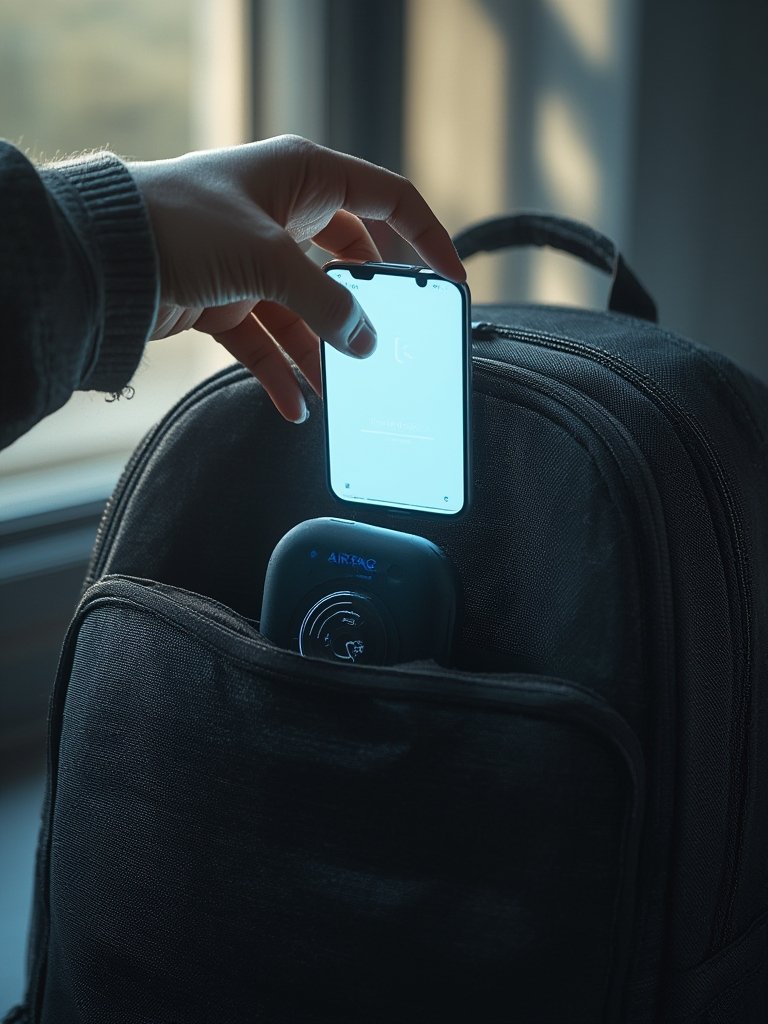
Open the app and tap Scan. If an unknown tracker is detected, the app displays its signal strength (percentage/radar view). Use this live readout—walk slowly and watch the signal. - Locating the Tracker:
Use the signal meter: a higher percentage = proximity. Move room to room, and check pockets, bags, and car interiors. In dense smartphone areas (train stations, malls), trackers update more frequently. - Troubleshoot “Play Sound”:
If the app offers a “play sound” function for AirTags, try it—but it’s not reliable on Android (see EFF’s Bluetooth tracking tips). Use signal strength as your main tool. - After Finding a Tracker:
Document its serial number (photograph it). Do not discard or deactivate immediately; consider notifying law enforcement or security personnel, especially if you suspect stalking. For more tips on smart, proactive security (including wearable options), review this quick-read on self defense smart jewelry and travel security kits for travelers.
What If You Need to Detect More Than Just AirTags?
If you’re concerned about a broader category of hidden trackers, such as Samsung SmartTags, Tiles, or other BLE devices, native Android isn’t enough. Use apps like AirGuard or RadarBox. Note: Many options are free or ad-supported, but rarely offer instant detection for all tracker types.
Best Situations to Use Bluetooth Tracker Scanner Apps
- When returning to a parking garage or rideshare vehicles
- After borrowing or using unfamiliar bags, clothing, or rental property
- While traveling to hotels or rental apartments (combine with hidden camera detector apps via top-rated hidden camera detector apps)
- Following unwanted attention or threats—see smart connected self defense sprays like smart connected self defense sprays
Advanced Analysis & Common Pitfalls
Despite improvements, no airtag scan detect & tracker app is perfect. Let’s examine real limitations and problems users run into, with technical and practical advice.
Common Problems & Limitations
- Slow Alerts: Android 14’s native AirTag alerts can take up to 24 hours to notify you—compared to a much faster, denser response on iOS thanks to Apple’s Find My network. That means real-time detection is rarely guaranteed (See Google security blog).
- Compatibility Gaps: Native Android supports only AirTags (as of mid-2024). Third-party apps detect more types but with less reliability, and may miss emerging trackers.
- Signal “Dead Zones”: AirTags emit Bluetooth beacons every 3-5 minutes (to save battery), so if you’re in a low-density area, you might miss detection windows. The effective Bluetooth range is about 30-40 feet—walls, vehicles, and signal obstructions decrease accuracy (See Apple user forum).
- Unreliable “Play Sound”: While iPhones can often force an AirTag to audibly ping, the sound function nearly always fails on Android, which means you’re reliant on signal strength readouts.
- Privacy & Legal Grey Zones: Many countries—especially outside the US and EU—lack clear legal guidance for detecting or responding to hidden trackers. Even within regulated markets, reporting and enforcement lag behind technology updates (EFF Security Guide).
- Real-World User Scenarios: User feedback highlights significant pain when scanning rented cars, shared Airbnb/apartments, hotels, or returning to parking garages — environments popular with stalkers, yet where alerts often fail to arrive in a timely fashion.
Comparison Table: Native Detection vs. Top Third-Party Apps
| App/Feature | Cost | Scan Range | Supported Devices | Update Frequency |
|---|---|---|---|---|
| Native Android 14+ | Free | ~30-40 ft (AirTag BLE) | AirTags only | Up to 24 hours for alerts |
| AirGuard | Not specified | Signal % meter (directional) | AirTags + SmartTags, Tile | Occasional delays noted |
Feature Requests & the Future
Users most often want instant alerts, reliable sound activation, and detection of all Bluetooth trackers—not just AirTags. While cross-platform improvements have been announced by Google and Apple, they remain under development.
What Most Guides Miss: What To Do After Finding a Hidden Tracker
High-ranking competitor articles often skip crucial next steps. After detecting a tracker:
- Photograph the serial number of any found tracker for records and possible legal evidence.
- Report suspicious devices to local law enforcement—many regions now have protocols for technology-enabled stalking.
- Don’t immediately deactivate or discard—seek legal or workplace security advice. Bringing the device into a higher-density phone area (coffee shop, train station) can sometimes yield tracking data or owner info.
- If you travel frequently, complete your toolkit with verified solo traveler safety resources and agentic AI safety apps for more proactive incident detection.
Conclusion & Next Steps
There’s never been a greater need for trusted airtag scan detect & tracker app strategies. Android is rapidly improving, but real-world protection still demands a layered approach—combining native alerts with specialist tools, practicing good scanning habits, and knowing what to do if you discover a tracker. Ultimately, the best defense is awareness and action.
Ready to protect yourself? Check your software version, download a recommended app, and make scanning for trackers part of your traveler or commuter routine. Share this guide with those who need it and keep current—new updates and tracker tech are always emerging.
Frequently Asked Questions
Can Android phones detect AirTags without a special app?
On Android 14 and newer, detection is built-in under “Unknown tracker alerts.” For older versions, you need a dedicated app such as AirGuard.
How fast will I be notified if an AirTag is near me on Android?
Alerts can take up to 24 hours on Android 14+, depending on your settings and environment. In high-density iPhone areas, data updates are more frequent.
Are there apps that detect Samsung SmartTags or Tiles as well?
Yes. Third-party apps like AirGuard can scan for multiple brands, but coverage and speed may vary. Check each app’s compatibility list for the latest supported tracker models.
What should I do if I find an unknown tracker on my belongings?
Photograph the serial number, do not immediately disable it, and alert local law enforcement—especially if you suspect you’re being tracked or stalked. Consider professional security support if traveling internationally.
Can tracker scan apps drain my battery quickly?
Some apps that constantly scan for Bluetooth devices may consume more battery, but most modern apps balance frequency to minimize impact. Always close unused scanner apps when not actively searching. Consider a drain my battery quickly solution for extended periods of scanning.